High Threshold Alerts
High threshold alerts allow you to set a threshold that a sensor should not exceed over a given period or a specific time slot. They are unlimited and are sent by SMS/email.
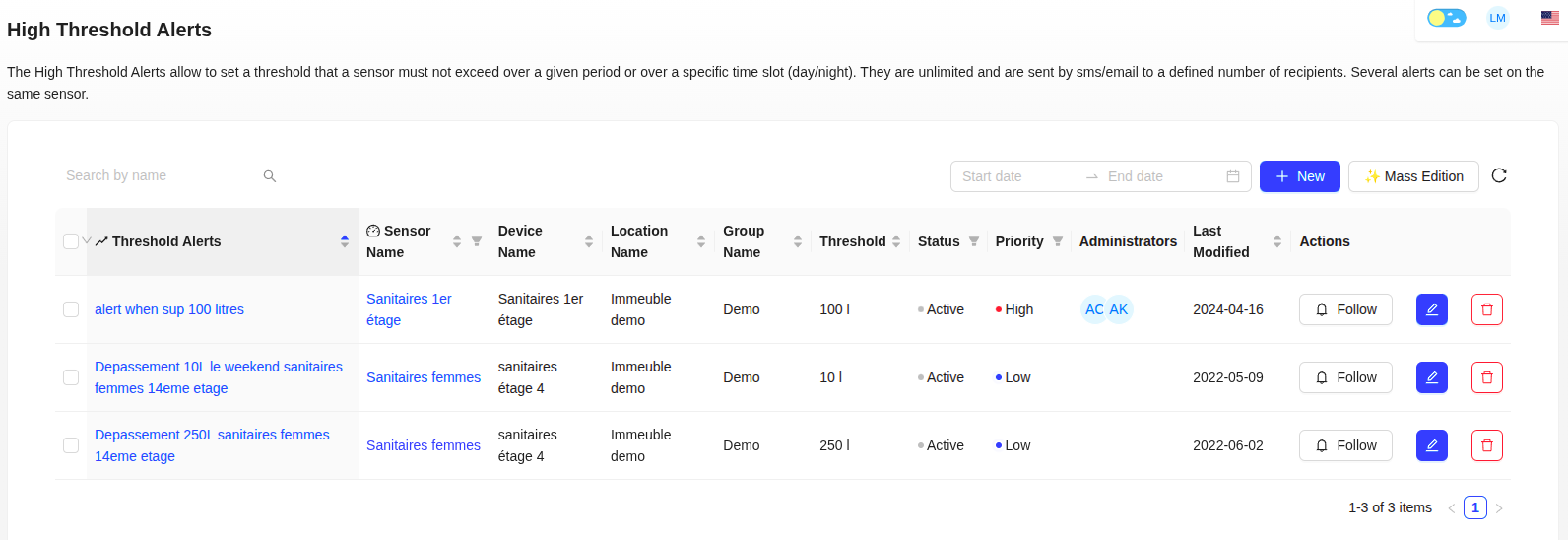
Create a High Threshold Alert
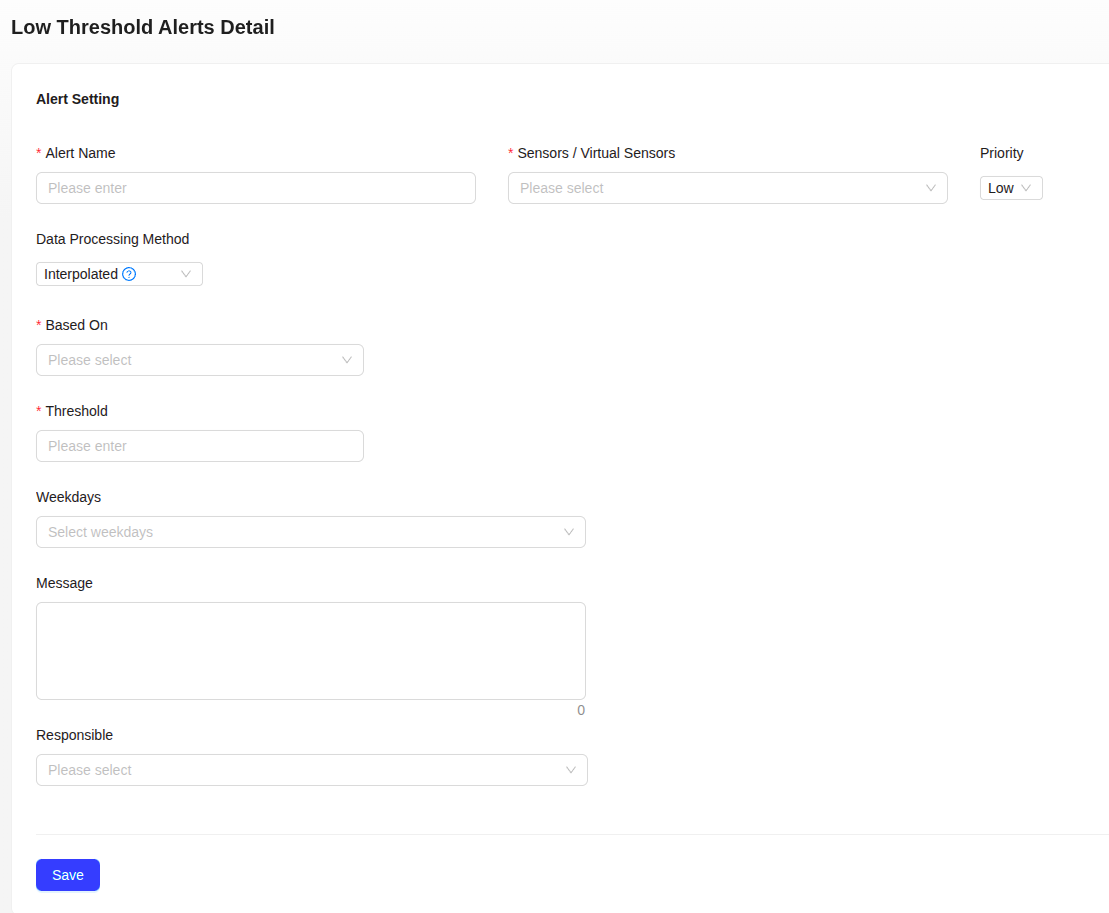
- Click on "+ New".
- Configure the Alert parameters:
- Alert name: unique identifier for your alert
- Sensors / Virtual sensors: select the sensor to monitor
- Priority: choose between High, Medium, or Low
- Define Data processing:
- Interpolated: continuous curves with missing data estimation
- Aggregated: real data only, no estimation
- Set up the monitoring period:
- Based on: select the period type (Night, Date, Month, etc.)
- Days of the week: choose the application days
- Set the Threshold: limit value not to be exceeded
- Add a Message (optional)
- Select notification Recipients
- Click "Save"
Alert Tracking and Status
Once created, an alert is active by default. You can click on "Follow" or "Unfollow" to activate or deactivate notifications for this alert.
The Historical Events tab allows you to consult the history and status of triggered alerts.
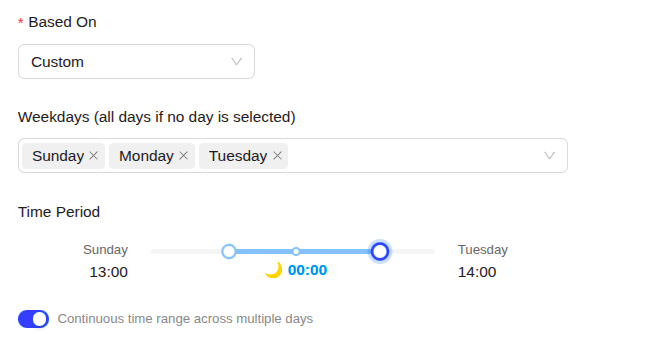
Alerts on Continuous Time Range Across Multiple Days
It is possible to configure alerts on a continuous time range that extends across multiple days. For example, you can create an alert that activates from Friday 6 PM to Monday 8 AM. This functionality is particularly useful for monitoring periods that cover a weekend or several consecutive days.
Mass Assignment of Administrators to Alerts
From the High Threshold Alerts page, you can select a set of alerts and click on 🔔 Assign Administrators to manage the responsible parties for these alerts in bulk. The selected administrators will be added to the existing list. If an administrator is already assigned to all these alerts, you can choose to remove them.