Manage Administrators
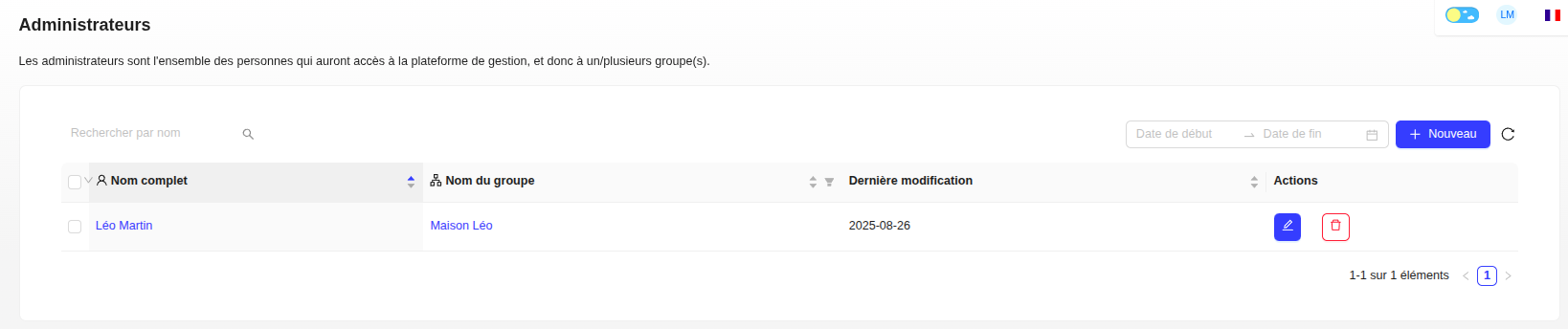
Administrators are all the people who have access to the management platform and to one or more group(s).
Create an Administrator
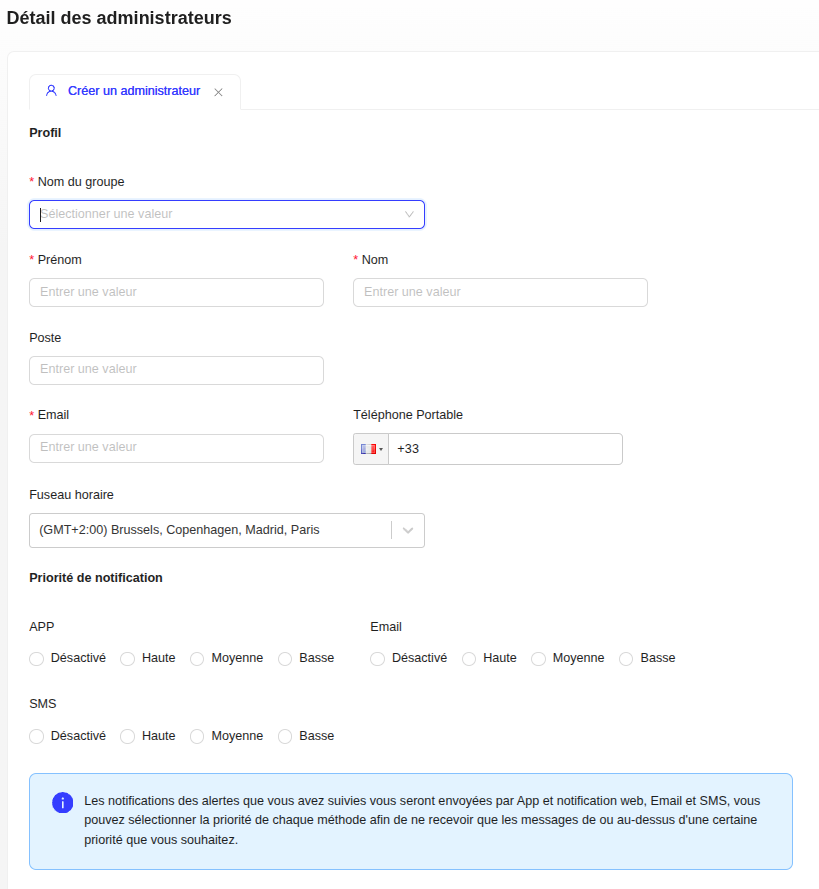
- Click on the "+ New" button.
- Fill in the profile information: group name, first name, last name, email, phone number, etc.
- Toggle Email and SMS notifications ON or OFF using the switches.
- Enable the Read Only toggle if you want to restrict the administrator's editing permissions.
- Generate a password.
Modify or Delete an Administrator
- To modify a record, click on the pencil icon.
- To delete an administrator, click on the trash icon or open their record and click on the "Delete" button.
Export Administrators
The Download XLSX button exports to an Excel file the administrators matching the search, the period and the read-only filter, with their groups and rights.
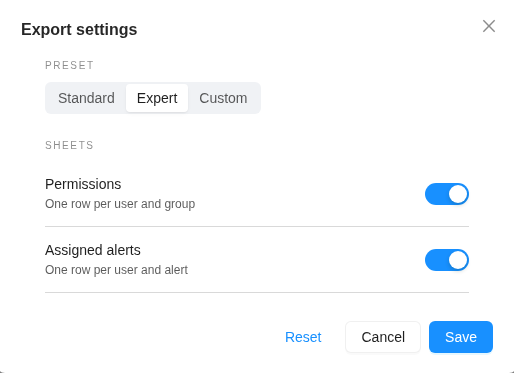
The gear next to the button chooses the content of the file:
- Standard (default): the Users tab.
- Expert: adds the Permissions and Assigned alerts tabs.
- Custom: adds one of these two tabs, or both.