Mass Edition
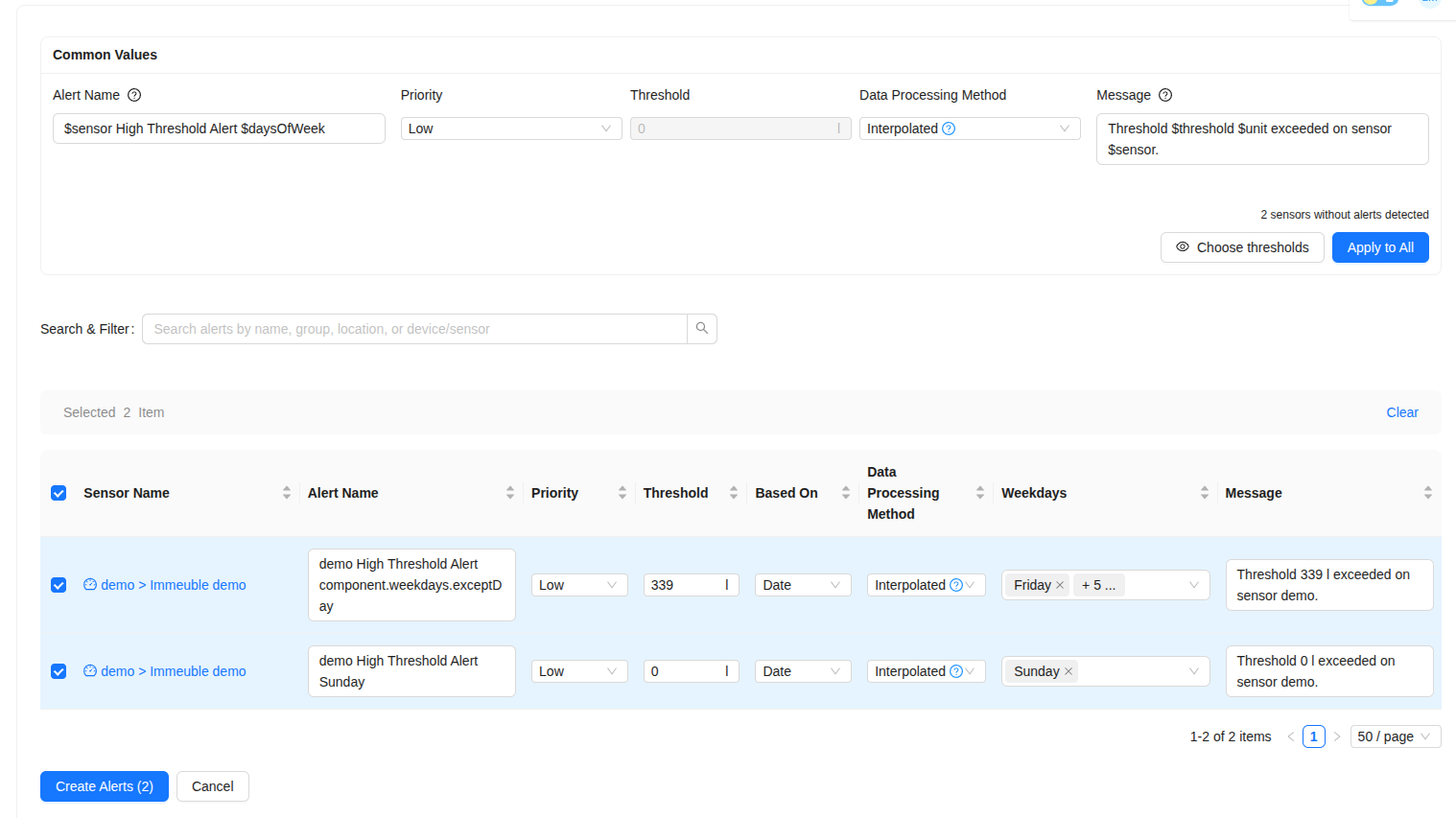
The Mass Edition feature simplifies the process of creating and managing alerts for multiple devices or sensors at once. Instead of configuring each alert individually, you can use the mass edition tool to apply settings to a large number of items simultaneously, saving time and ensuring consistency.
Device Battery Alerts
This feature is particularly useful when you need to set a uniform battery level alert across a large number of devices. You can define a single threshold that applies to all selected devices, which is much more efficient than creating individual alerts for each one.
Sensor Alerts
For sensor alerts, the mass edition tool offers two powerful options:
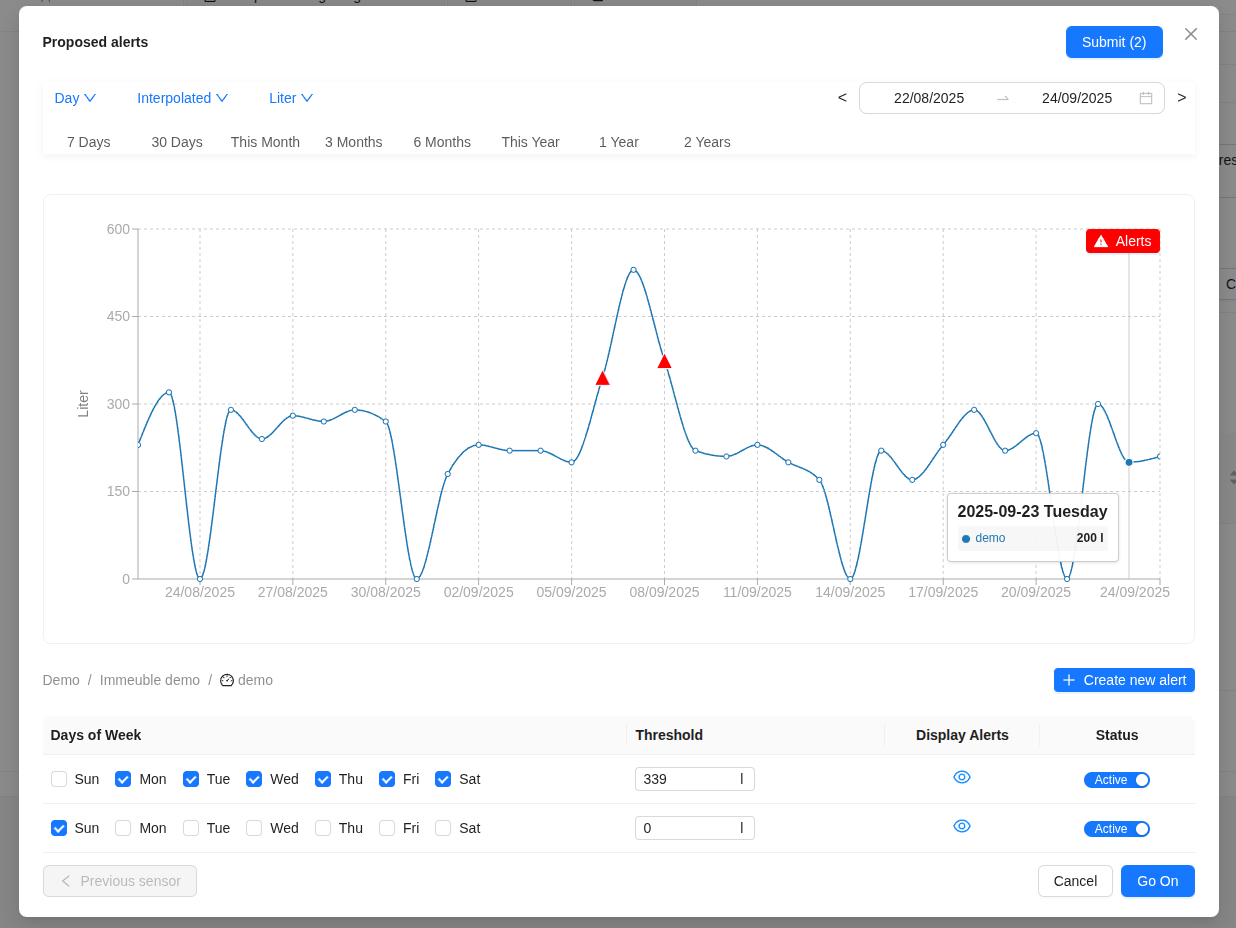
- Computed Alert Thresholds: The system can analyze the historical data of each sensor and suggest optimal threshold values. This is useful for setting up effective alerts without having to manually analyze the data for each sensor.
- Alert Editor: The alert editor provides a flexible interface to manage your alerts. You can view a list of all your sensors, and for each one, you can either accept the system's suggested threshold or define your own custom value. This gives you full control over your alert settings.
Alert Name & Message Variables
To create dynamic and informative alert messages, you can use the following variables in the alert name and message fields. These variables will be automatically replaced with the corresponding values when an alert is triggered.
- $sensor: Sensor name
- $device: Device name
- $location: Location name
- $group: Group name
- $threshold: Threshold value
- $unit: Measurement unit
- $daysOfWeek: Days of the week
For example, you could create a message like this:
Alert for $sensor at $location: Threshold of $threshold $unit exceeded.