Personal Space and Preferences
This section describes how to manage your profile, display preferences, and the platform language.
Personal Space Button
The Personal Space button allows you to log out or access your Client Space.
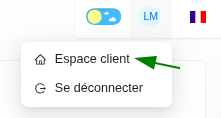
Client Space
Your Client Space allows you to:
- Modify your personal information (first name, last name, email, etc.).
- Change your password.
- Modify your preferences (unit of measurement, logo, layout).
- Consult the general conditions.

Theme Button
The Theme button allows you to choose between a "Light" or "Dark" display mode.
Language Selection Menu
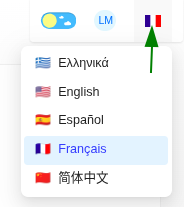
This menu allows you to choose the platform language from the available options (Greek, English, Spanish, French, and Chinese).